Independent Build — Content Production Tooling
Cutting Content Tooling Spend to Zero: A Custom-Built Video Pipeline
Case study details
Overview
Producing polished video content from a mix of motion graphics and real screen capture typically means paying for two separate categories of software: a high-resolution screen recorder and a video editor to turn raw footage into publish-ready files. This project replaced both with a single purpose-built pipeline — MP4K — engineered from scratch rather than assembled from subscriptions, eliminating an estimated $300+ per person, per year in tooling costs for anyone running this workflow.
The Challenge
- Two source types, one output requirement: motion graphics built in HTML/CSS and real screen footage both needed to become clean, correctly-sized MP4 files, but no single existing tool handled both.
- Native macOS screen recording couldn't produce publish-quality resolution for animated content — exports came out visibly degraded no matter the source quality, a hard limitation of the recording approach itself, not a settings problem.
- I didn't want to pay for another off-the-shelf tool just to render HTML/CSS animations directly to video — the only free workaround was screen-recording and re-encoding, which put the blur right back in.
- Freeform screen-recording crop tools let the capture box distort out of ratio the moment you resized it — getting an exact LinkedIn square or vertical frame meant fighting proportions by hand, and it was easy to end up with stretched or off-ratio output.
The Approach
Frame-Accurate Rendering Pipeline — Built MP4K, an Electron-based desktop tool that renders HTML/CSS animations directly to production-ready H.264 MP4, with no recording step involved at any point. Playwright drives headless Chromium to load the animation at an exact target viewport, and Chrome DevTools Protocol's virtual time policy steps the page's own clock forward in precise per-frame increments — screenshotting after each step. That makes CSS keyframes, the Web Animations API, and requestAnimationFrame loops deterministic: output is frame-identical regardless of the rendering machine's speed. FFmpeg then encodes the captured frames to web-optimized H.264.
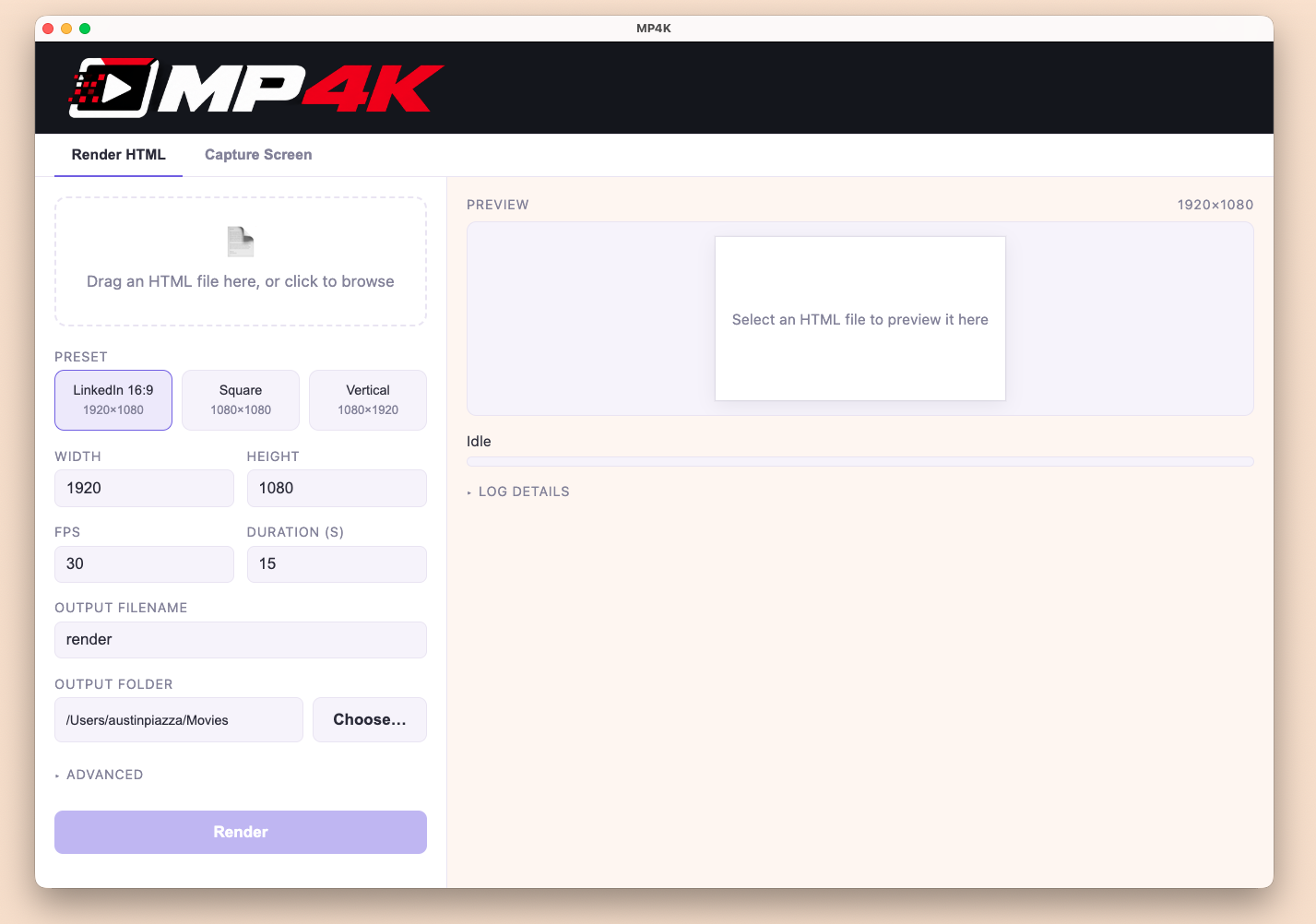
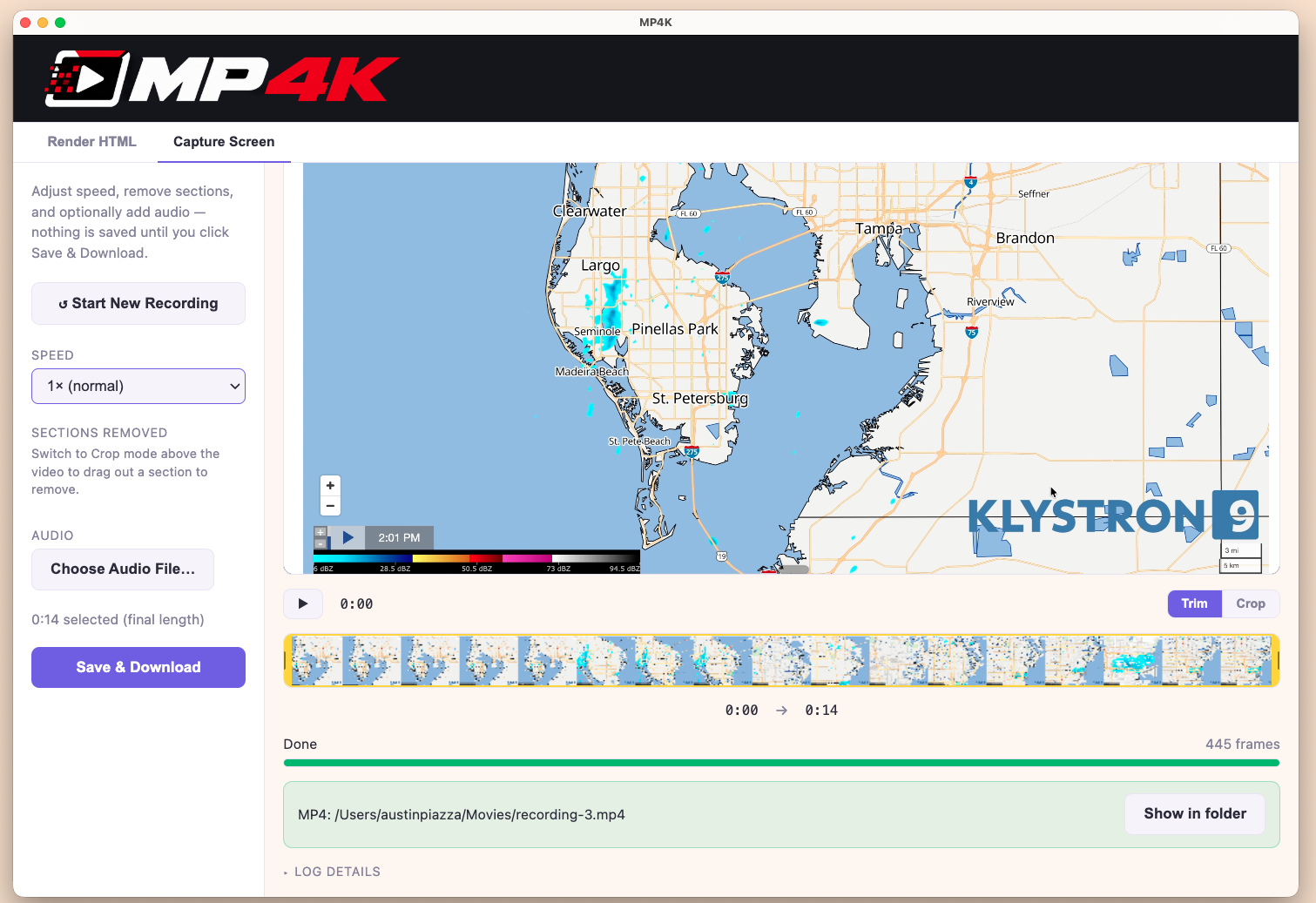
High-Resolution Capture, Edited and Narrated In Place — For content that can't be faked as HTML — real screens, live footage — engineered a native 4K screen recorder with a scalable capture region that snaps to exact preset ratios (LinkedIn square, vertical social) or runs free-form, scaling the box up or down without ever distorting the ratio. No more fighting proportions by hand to hit a platform's exact dimensions. Extended it further post-launch: trim and crop now happen directly in the dashboard, so cleaning up a take doesn't require exporting into a separate editor, and a live voiceover/audio recording mode captures narration alongside the screen recording in one pass instead of a second recording step in a second tool.
Workflow Automation — Built-in presets for common export dimensions (square, vertical) remove the guesswork on target size, and a CLI enables scripted renders outside the GUI — including a debug mode that can re-encode video from an existing frame sequence without re-rendering from scratch.
Built-In Quality Control — Automated post-render checks flag console errors, script errors, or missing fonts/assets during capture, surfacing broken output immediately rather than after publishing.
The Results
- Eliminated the two tool categories this workflow required — a high-resolution screen recorder (roughly $108–120/user/year) and video editing/export software (roughly $180–250/user/year) — avoiding roughly $300+ per person, per year.
- Zero screen-recording step and zero manual export formatting for animated content — output renders directly to spec.
- Extended post-launch to native trim/crop and voiceover recording, keeping editing and narration inside the same system rather than adding a third paid tool.
See It In Action
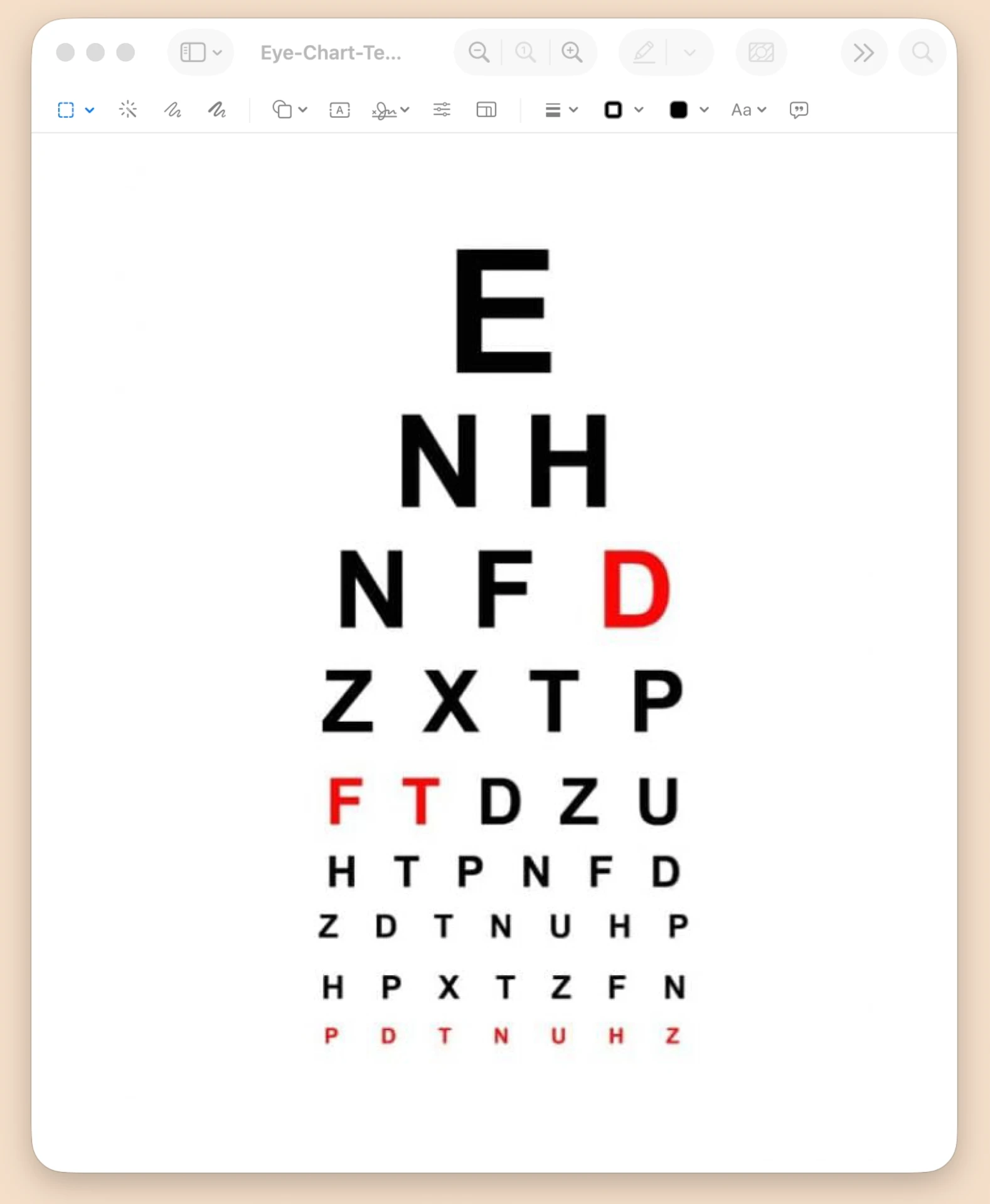
Every video across my recent LinkedIn and X posts was rendered through MP4K — see the Writings tab for more.
The Takeaway
This is the same operating model behind every engagement I run: find where a workflow is quietly bleeding budget across multiple tools, and replace it with one system built to the job's exact spec instead of a generic subscription stack. If your team is paying for two or three tools to do the work of one, that's worth a conversation.